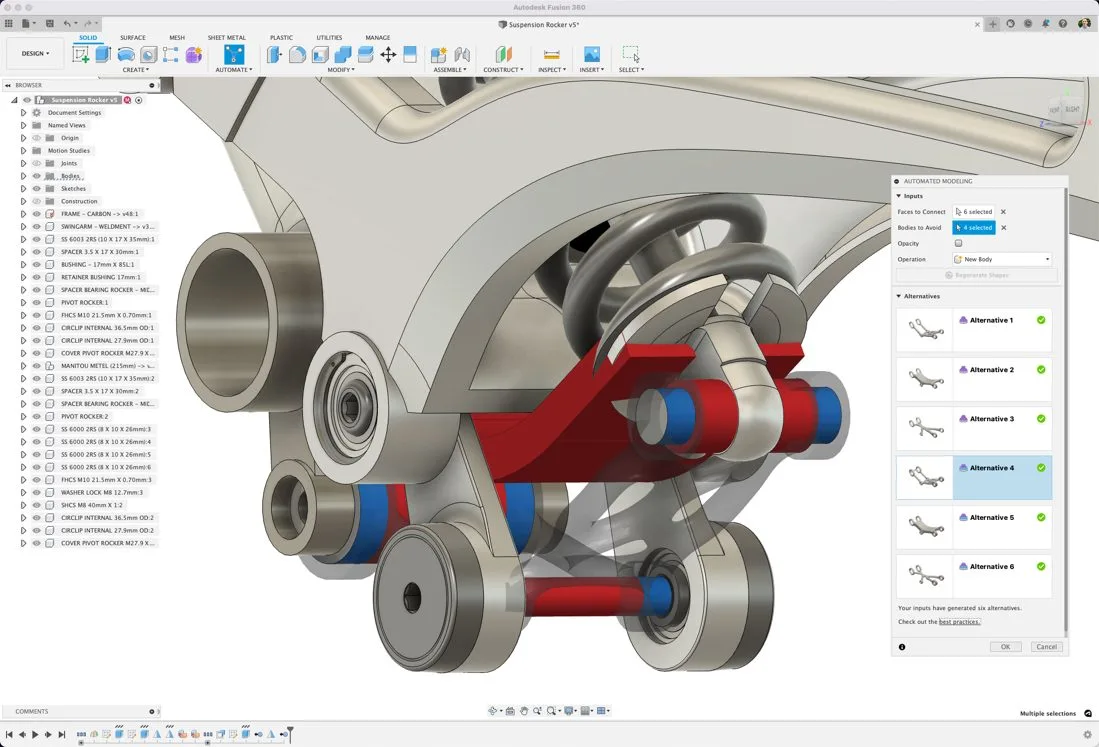
Autodesk Fusion 360 window showing a bicycle suspension rocker assembly with the Automated Modeling panel offering six design alternatives
Best Fusion 360 Training Institute in Kerala

Autodesk Fusion 360 Course in Kerala

4.6/5 from 15,884+ reviews

Empower your design innovations. Our certified Fusion 360 course takes you from concept to production in one cloud-based platform: parametric and freeform 3D modelling, assemblies, simulation, AI-driven generative design, CNC toolpaths and 3D printing. Classroom training in Kochi, Thrissur, Irinjalakuda, Attingal (Trivandrum) and Palakkad, plus online and hybrid batches across Kerala.

Explore Syllabus
CTDS certification logo
Autodesk Authorized Training Center logo
AICTE logo
Certiport Authorized Testing Center logo
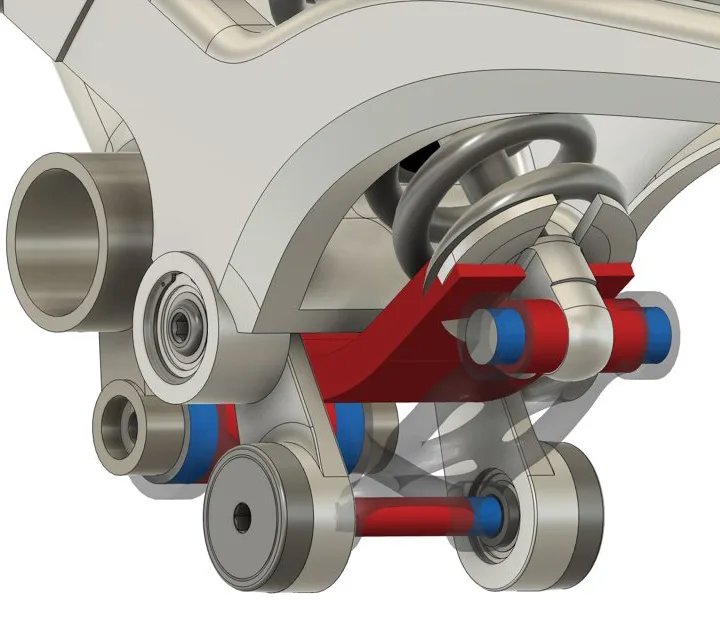
Fusion 360 3D model of a bicycle suspension rocker with spring, bearings, spacers and pivot bolts Fusion 360 Automated Modeling alternatives generated for the rocker arm
Concept to Production
Course Overview

Fusion 360: Empower Your Design Innovations

Fusion 360 is the advanced cloud-based design and engineering software developed by Autodesk. It empowers creators, engineers and designers to bring their ideas to life from concept to production, all within a single environment.

Explore the might of Fusion 360 with our experts at CORE Institute of Technology. You learn its integrated approach to design, covering 3D modelling, simulation, generative design and manufacturing. Create realistic renderings, build prototypes and apply Fusion 360 from product design and architecture to automotive engineering and more, then turn your ideas into reality.

  • Parametric design
  • 3D & freeform modelling
  • Simulation
  • Generative design
  • CAM & 3D printing
  • Realistic rendering
Course Highlights

Key Highlights of the Fusion 360 Program

One platform, one timeline: design, test and manufacture without switching software.

Integrated Parametric Design

Master parametric design principles and build dynamic, adaptable 3D models that respond to changes and iterations.

  • Constrained sketches & parameters
  • Solid, freeform & surface bodies
  • Assemblies with joints

Simulate Before You Build

Test designs virtually with simulation tools to confirm performance, strength and function before physical prototyping.

  • Static stress & safety factor
  • Modal & thermal studies
  • Shape optimisation

AI Generative Design

Unleash artificial intelligence in design. Generative design inspires innovative solutions and optimised, lightweight parts.

  • Loads, constraints & objectives
  • Compare generated outcomes
  • Manufacture-ready results
Who should join: Mechanical Engineers Product & Industrial Designers Automobile & Mechatronics Diploma & ITI Holders Makers & 3D Printing Enthusiasts
What You Will Design

Fusion 360 Skills You Will Master

Every Fusion 360 workspace a product designer uses, from the first sketch to the CNC machine.

Solid Modelling

Extrude, revolve, sweep, loft & patterns

Freeform & Surfaces

T-splines, patches & organic shapes

Assemblies & Joints

Joints, motion studies & exploded views

Sheet Metal & Drawings

Flat patterns, views, GD&T & parts lists

Simulation

Stress, modal & thermal studies

Generative Design

AI-generated, optimised alternatives

CAM & 3D Printing

Milling, turning & additive setups

Rendering

Appearances, scenes & realistic renders

Where Fusion 360 Is Used

Fusion 360 is used from product design and architecture to automotive engineering and more.

Product Design

Consumer products, gadgets, enclosures and prototypes.

Automotive

Lightweight brackets, suspension parts and fixtures.

CNC & Manufacturing

Machined parts, toolpaths and production-ready designs.

3D Printing & Startups

Rapid prototyping, makers and hardware startups.

8 Modules

Fusion 360 Course Syllabus

A practical curriculum that takes you from your first sketch to a simulated, generatively optimised and machined product.

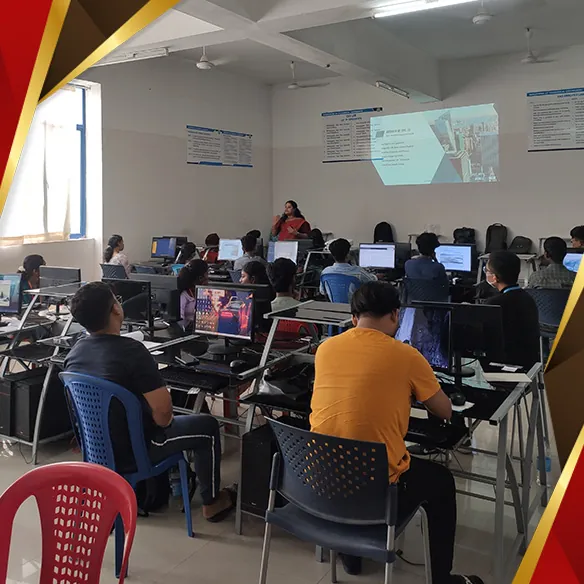
Module 1 Students learning Fusion 360 sketching at workstations in the CORE Institute CAD lab

Fusion 360 Interface & Parametric Sketching

  • Workspaces, Data Panel & Cloud Projects
  • Browser, Timeline & Navigation
  • Sketch Entities & Constraints
  • Dimensions & Fully Constrained Sketches
  • User Parameters & Design Intent
  • Importing DXF, Images & Canvases
PracticalsSketch and fully constrain a set of machine component profiles
Module 2 Fusion 360 solid model of a bicycle suspension rocker with bearings, spacers and pivot bolts

Solid Modelling & the Design Timeline

  • Extrude, Revolve, Sweep & Loft
  • Hole, Thread, Fillet & Chamfer
  • Shell, Draft, Rib & Web
  • Patterns, Mirror & Combine
  • Construction Planes & Axes
  • Editing History in the Timeline
PracticalsModel a bracket, a pulley and a suspension rocker arm
Module 3 Fusion 360 freeform and surface model of a consumer product shown in the course banner

Freeform (T-Spline) & Surface Modelling

  • Form Workspace & T-Spline Bodies
  • Edit Form, Crease & Symmetry
  • Patch, Loft & Boundary Fill
  • Trim, Extend & Stitch
  • Thicken Surfaces to Solids
  • Zebra & Curvature Analysis
PracticalsSculpt an ergonomic product housing such as a mouse or a bottle
Module 4 Engineers checking an assembled mechanical component against its design documents

Assemblies, Joints & Motion

  • Components & Bottom-Up / Top-Down Design
  • Joints, As-Built Joints & Rigid Groups
  • Motion Links & Contact Sets
  • Motion Studies & Animation
  • Interference & Section Analysis
  • Exploded Views & Version Control
PracticalsAssemble a gearbox and animate its moving parts
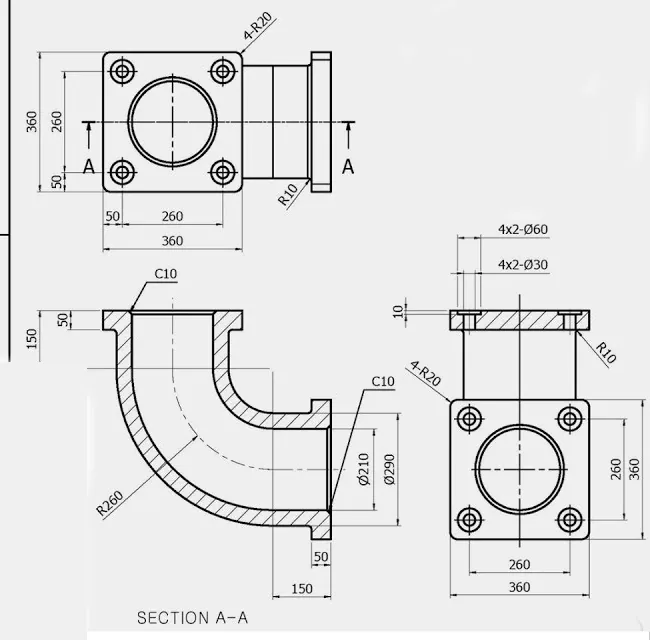
Module 5 Dimensioned engineering drawing of a pipe elbow with front, side and section A-A views

Sheet Metal & Engineering Drawings

  • Sheet Metal Rules, Flanges & Bends
  • Flat Patterns & DXF Export
  • Drawing Templates & Title Blocks
  • Base, Projected, Section & Detail Views
  • Dimensions, Tolerances & GD&T
  • Parts Lists, Balloons & Revisions
PracticalsDesign a sheet metal enclosure and issue part and assembly drawings
Module 6 Engineers inspecting precision mechanical components after a design has been validated

Simulation & Design Validation

  • Static Stress Studies
  • Materials, Loads & Constraints
  • Meshing & Contacts
  • Stress, Displacement & Safety Factor
  • Modal Frequencies & Thermal Studies
  • Shape Optimisation
PracticalsTest a bracket under load and improve it until the safety factor passes
Module 7 Fusion 360 Automated Modeling panel listing six AI-generated design alternatives for a suspension rocker

Generative Design & Automated Modelling

  • Design Space: Preserve & Obstacle Geometry
  • Loads, Constraints & Objectives
  • Materials & Manufacturing Methods
  • Comparing Generated Outcomes
  • Automated Modeling Alternatives
  • Converting Outcomes to Editable Bodies
PracticalsGenerate and compare lightweight alternatives for a load-bearing part
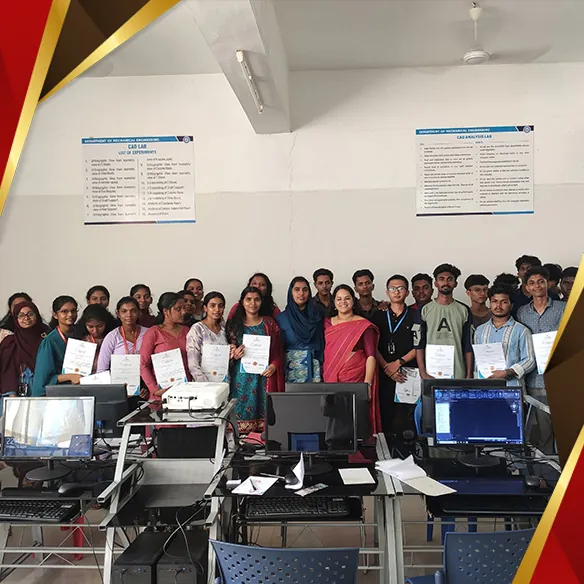
Module 8 CORE Institute students holding their course certificates in the CAD lab

Manufacture (CAM), Rendering & Final Project

  • Setups, Stock & Work Coordinates
  • 2D & 3D Milling and Turning Toolpaths
  • Toolpath Simulation & Post-Processing
  • Additive Setup for 3D Printing
  • Rendering, Decals & Appearances
  • Portfolio, Project Review & Interviews
PracticalsTake one product from model to CNC toolpath, 3D print and final render

Want a second CAD tool on your resume? Pair Fusion 360 with our SolidWorks course. To check the parts you design, add Mechanical QA/QC or NDT Level II. If you are heading into building services, take BIM Mechanical or MEP Engineering.

Your Learning Path

From Concept to Production

  1. Design

    Sketches, solids & freeform

  2. Assemble

    Joints & motion

  3. Simulate

    Strength & performance

  4. Generate

    AI-optimised options

  5. Manufacture

    CNC toolpaths & 3D print

  6. Get Placed

    Portfolio & placement help

Fusion 360 model of a suspension rocker assembly
Hands-On Training

Turn Your Ideas Into Reality

Create realistic renderings, build prototypes and solve real design challenges in every module. Join the course and change the way you approach design problems.

Industry Projects

Brackets, gearboxes, enclosures and suspension parts.

CAD Lab Access

Hands-on Fusion 360 practice at every seat.

Job-Ready Portfolio

Models, simulations, toolpaths and renders.

Cloud Collaboration

Share, review and version designs as a team.

Career Paths

Career Opportunities After Fusion 360

Product design firms, manufacturers, CNC workshops, 3D printing studios and hardware startups hire Fusion 360 designers in Kerala, across India and in the Gulf.

Mechanical Design Engineer
Product Design Engineer
CAD Engineer
Industrial Designer
CAD/CAM Programmer
CNC Programmer
3D Printing & Prototyping Engineer
Simulation Engineer
Students and faculty at CORE Institute of Technology

Enroll Now

Take the first step towards a career in product and mechanical design. Secure your seat in the next Fusion 360 batch today.

CTDS & Core CertifiedPlacement AssistanceGenerative Design & CAMClassroom | Online | Hybrid
Placements

Our Students Get Placed

CORE students are working with construction, engineering and industrial companies across Kerala and India.

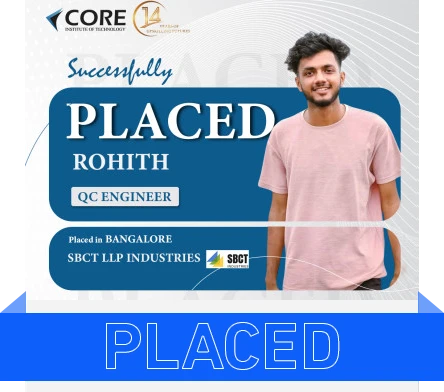
CORE Institute student Rohith placed as QC Engineer at SBCT LLP Industries, Bangalore
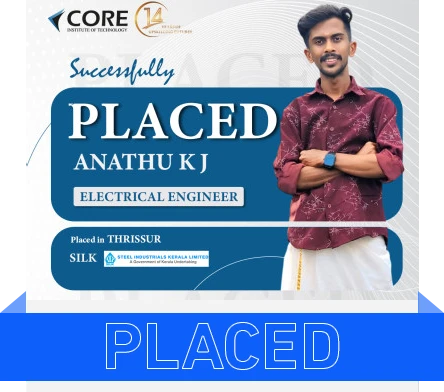
CORE Institute student Anathu K J placed as Electrical Engineer at Steel Industrials Kerala Limited, Thrissur
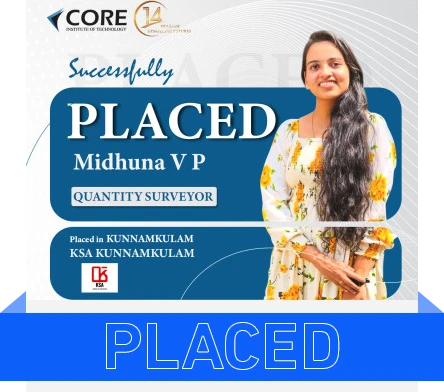
CORE Institute student Midhuna V P placed as Quantity Surveyor at KSA Kunnamkulam
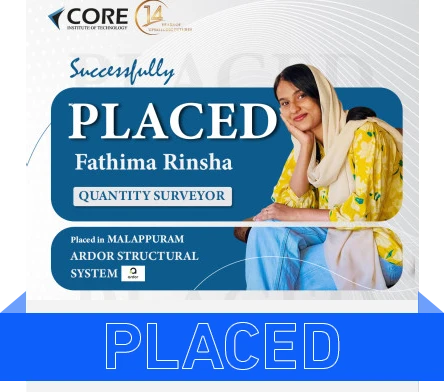
CORE Institute student Fathima Rinsha placed as Quantity Surveyor at Ardor Structural System, Malappuram
Recognition

Certification & Affiliations

On completing the Fusion 360 course you receive CTDS and Core certifications. CTDS (Council for Technical Development Continuing Academic Educational & Scientific Studies) is registered as an NGO under the aegis of the Government of India.

CORE Institute of Technology certifications and affiliations including CTDS, Autodesk, ASNT, Certiport, SAP and Tally
Awards

Awards & Recognition

Recognised by Autodesk and CTDS for training quality and student outcomes.

CORE Institute of Technology team at the Autodesk ALP Elevate Partner Summit 2026 India, Autodesk Learning Partner
Autodesk ALP Summit 2026
CTDS Excellence Certificate awarding CORE Institute of Technology centre of excellence 2023-2024
CTDS Centre of Excellence 2023–2024
CORE Institute team receiving the CTDS Excellence Award 2023-2024
CTDS Excellence Award Ceremony

Frequently Asked Questions

What is Fusion 360 used for?

Autodesk Fusion 360 is a cloud-based 3D CAD, CAM, CAE and PCB platform. Designers and engineers use it to take a product from concept to production in one environment: sketching and 3D modelling, assemblies and motion, simulation, generative design, CNC toolpaths for manufacturing, 3D printing preparation and photorealistic rendering.

What will I learn in the Fusion 360 course at CORE?

You learn parametric sketching and solid modelling, freeform T-spline and surface modelling, assemblies with joints and motion, sheet metal and engineering drawings, simulation for strength and performance, AI-driven generative design, CAM toolpaths and 3D printing, and rendering, finishing with a real-world design project for your portfolio.

Who can join the Fusion 360 course?

The course suits mechanical, production, automobile, mechatronics and aeronautical engineering students and graduates, mechanical diploma and ITI holders, product and industrial designers, and makers who want to design for CNC machining and 3D printing.

Is Fusion 360 good for beginners?

Yes. Fusion 360 has a clean interface and a single timeline for every design change, which makes it one of the easiest professional CAD tools to start with. The course starts from the interface and 2D sketching, so you do not need any earlier CAD experience.

Should I learn Fusion 360 or SolidWorks?

Both are parametric 3D CAD tools used for mechanical design. Fusion 360 adds integrated CAM, generative design and cloud collaboration in one package, which suits startups, product design and CNC or 3D printing work. SolidWorks is widely used in larger manufacturing companies. Many students learn both to widen their job options, and CORE offers a SolidWorks course as well.

Which certificates will I receive?

On successful completion of the Fusion 360 course you receive CTDS and Core certifications. CTDS is registered as an NGO under the aegis of the Government of India.

What jobs can I get after learning Fusion 360?

Fusion 360 skills lead to roles such as Mechanical Design Engineer, Product Design Engineer, CAD Engineer, Industrial Designer, CAD/CAM Programmer, CNC Programmer, 3D Printing and Prototyping Engineer and Simulation Engineer in manufacturing, automotive, consumer products and engineering service companies in Kerala, across India and in the Gulf. CORE provides placement assistance.

Is the Fusion 360 course available online?

Yes. The Fusion 360 course is offered in classroom, online and hybrid modes, so you can learn at a CORE centre or from home with live faculty support.

Where can I attend Fusion 360 classes in Kerala?

Classroom training is available at our centres in Kochi, Thrissur, Irinjalakuda, Attingal (Trivandrum) and Palakkad. Online and hybrid batches let students from Ernakulam, Kottayam, Kollam, Chalakudy and across Kerala join.
Visit Us

Fusion 360 Training Centres in Kerala

Kochi (Head Office)

Ground Floor, V&S Building, Mariaman Kovil Road, Kacheripady, Kochi, Ernakulam, Kerala 682018

Thrissur (Regional Office)

Korappath Building, 2nd Floor, Machingal Line, MG Road, Naikkanal, Thrissur, Kerala 680001

Thrissur

2nd Floor, Trichur Trade Center, Kuruppam Rd, Marar Road Area, Thrissur, Kerala 680001

Irinjalakuda

2nd Floor, Edapully Emporium, Irinjalakuda Main Rd

Attingal, Trivandrum

1st Floor, Jasim Towers, above ICICI Bank, Attingal, Kerala 695101

Palakkad

H.M Tower, 2nd Floor, Coimbatore Rd, Kalmandapam, Palakkad, Kerala 678001